BetaFree pilot until 31 December. After that €3 a month.
Cadence has only just started
I'm Finn, a software developer and cyclist. Cadence Rides is my hobby project: your smart trainer rides real courses, like the bike course of your own triathlon, right in your browser. It's in beta now. Until 31 December there's a free two-month pilot, to find out together with the first riders what can be better.
NowFree pilotUntil 31 December. No credit card, nothing to cancel.
What I askTell me what could be betterI read every message myself. What I improve goes in the news every week.
After that€3 a monthOr €18 for six months, or €30 a year.
This is what it looks like
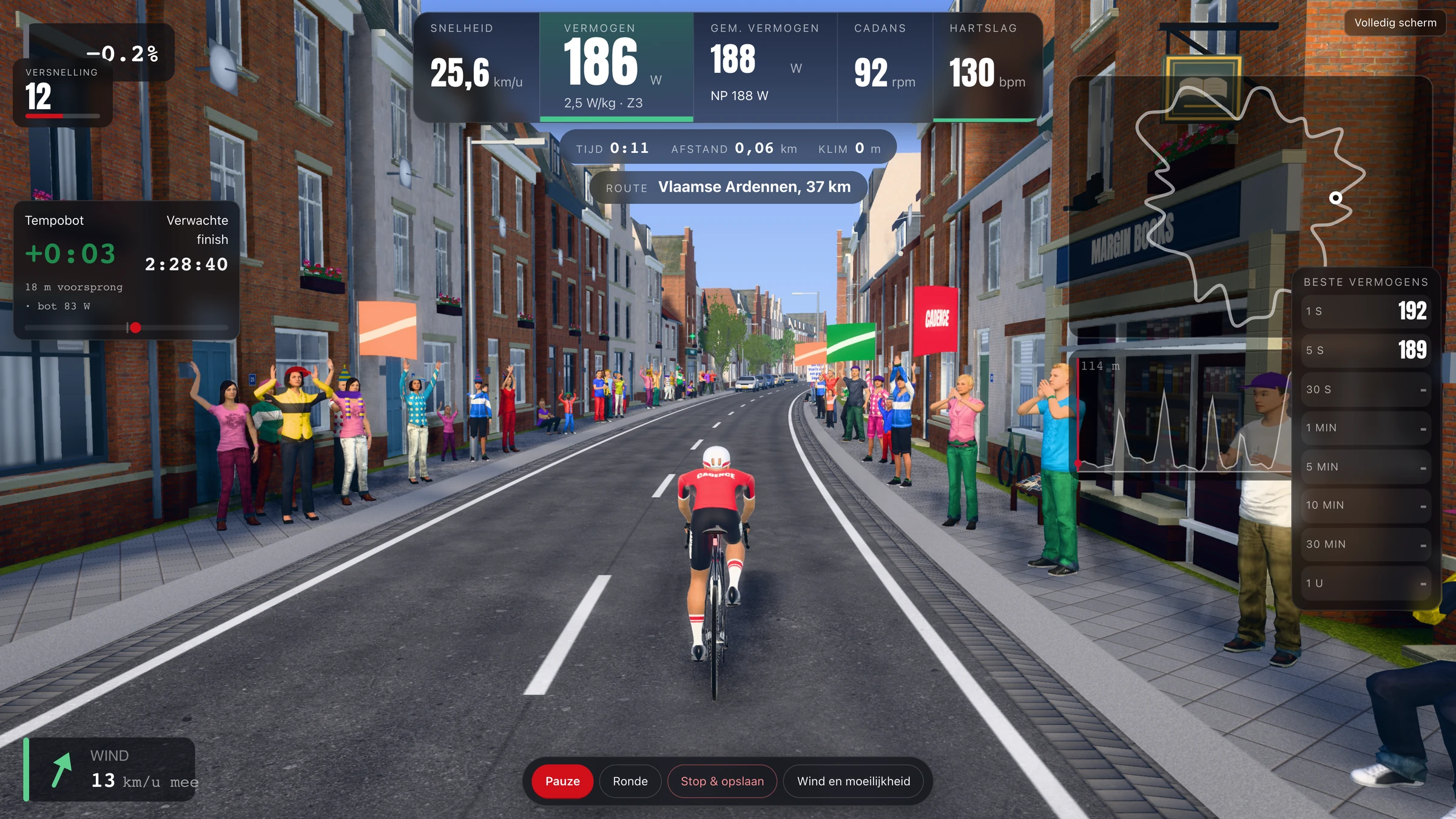
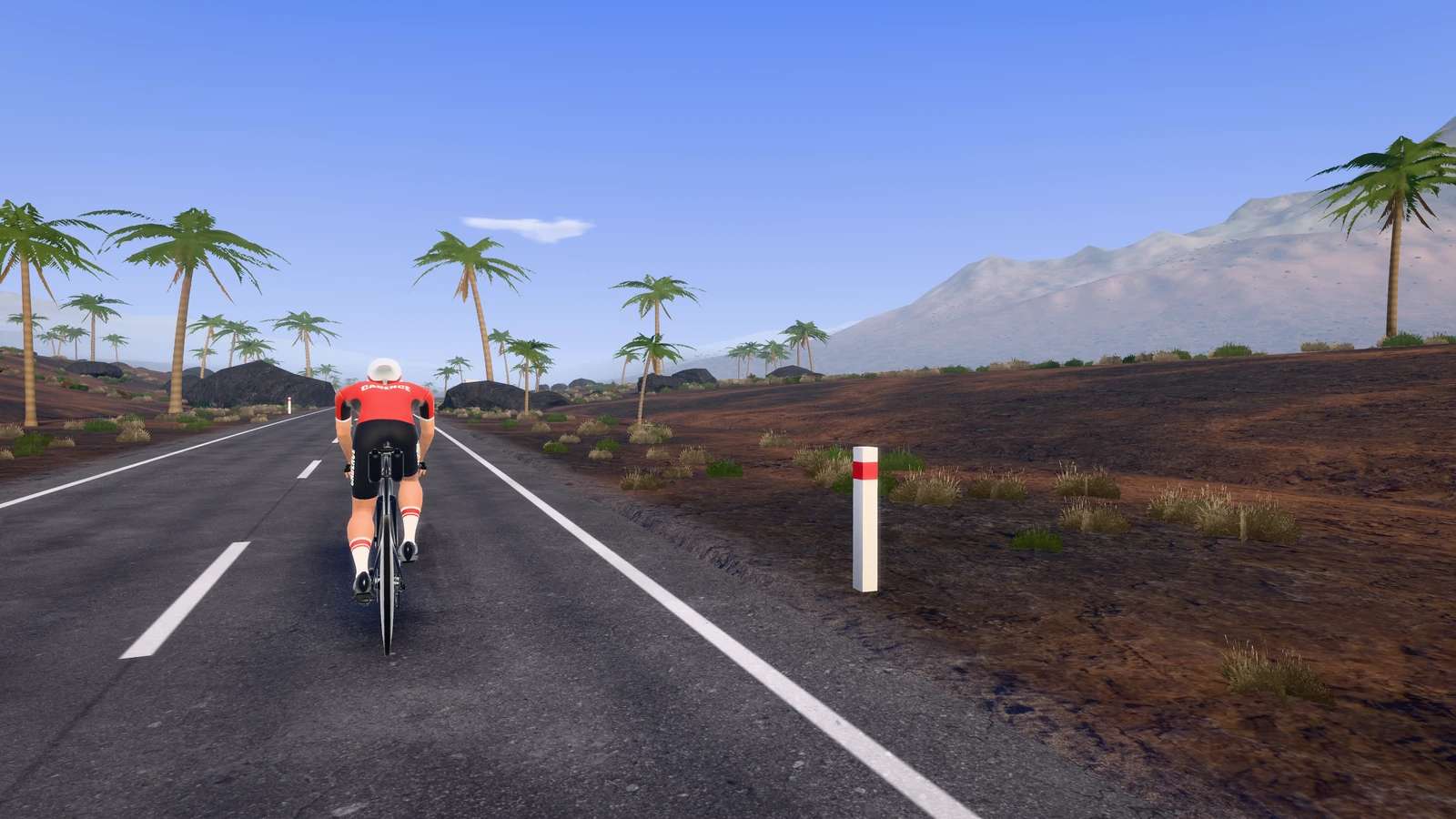
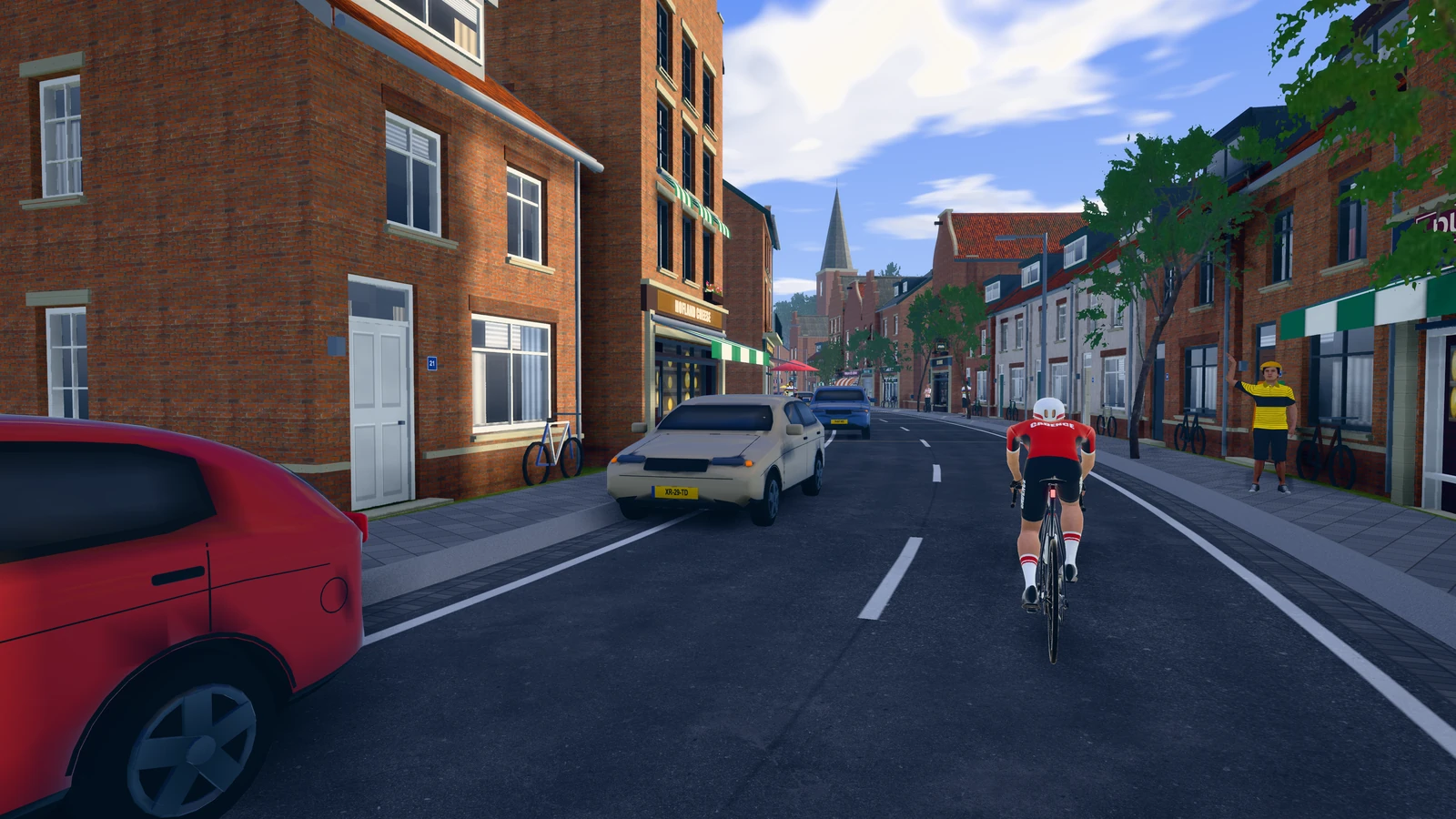
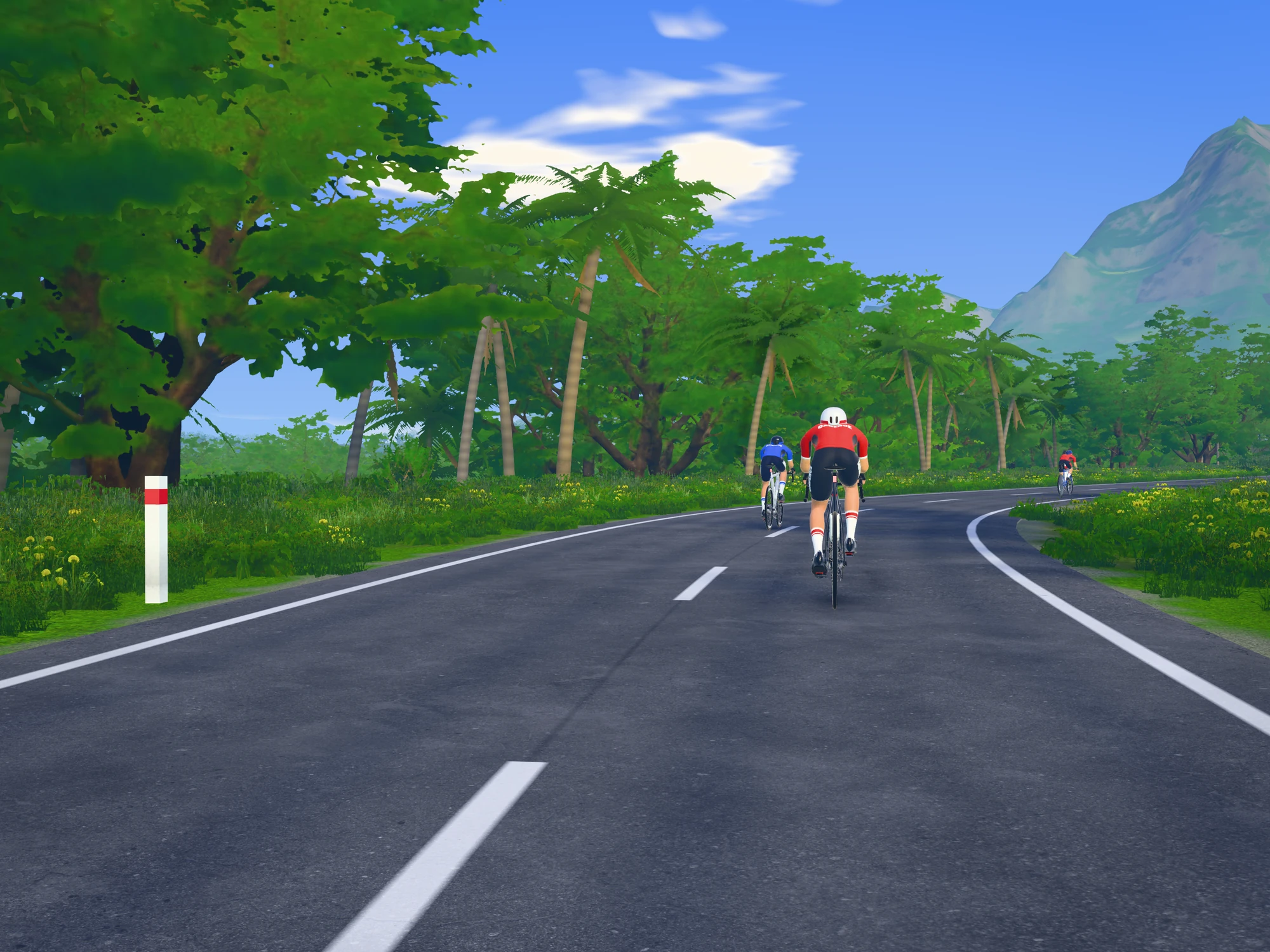
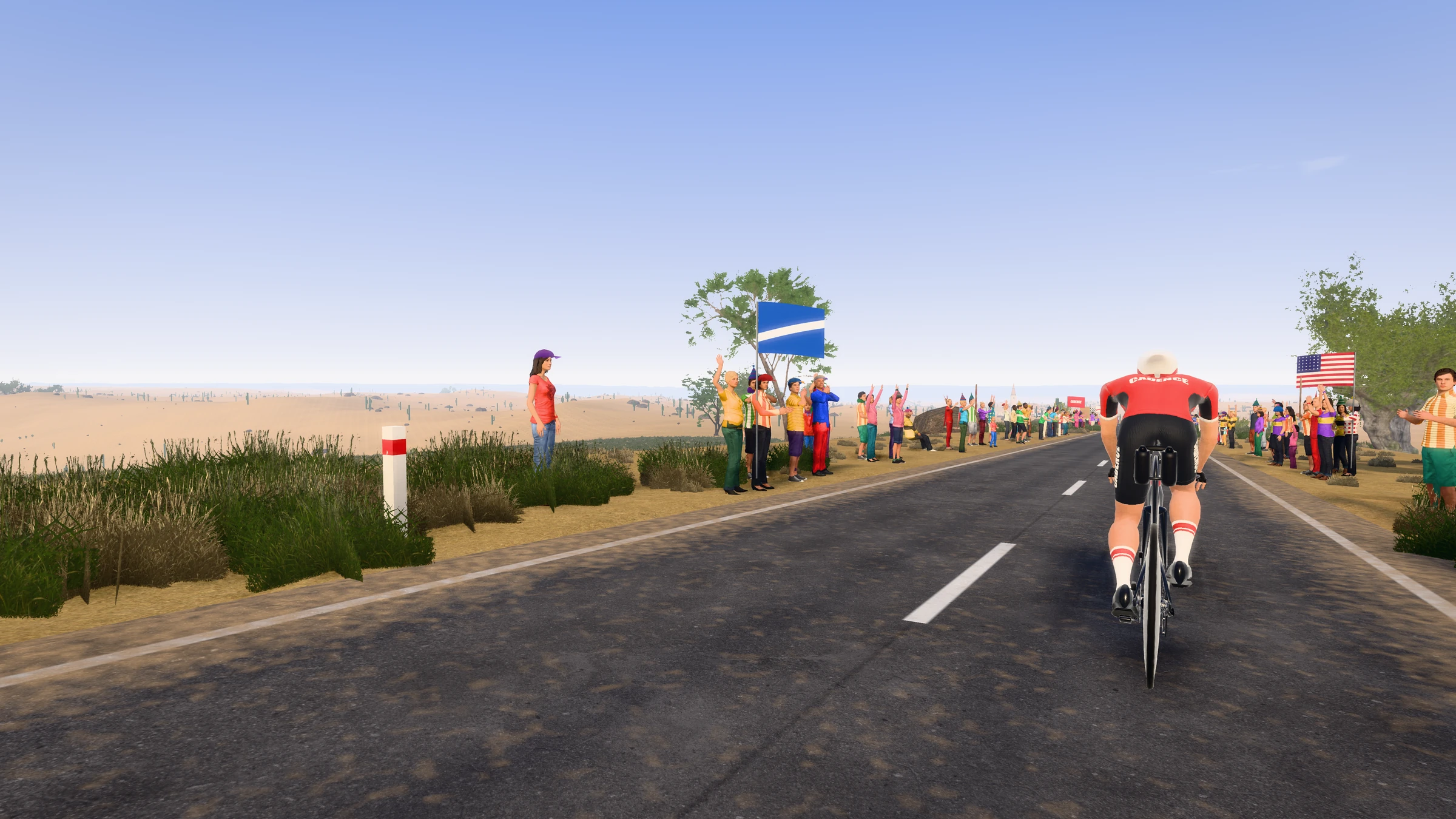
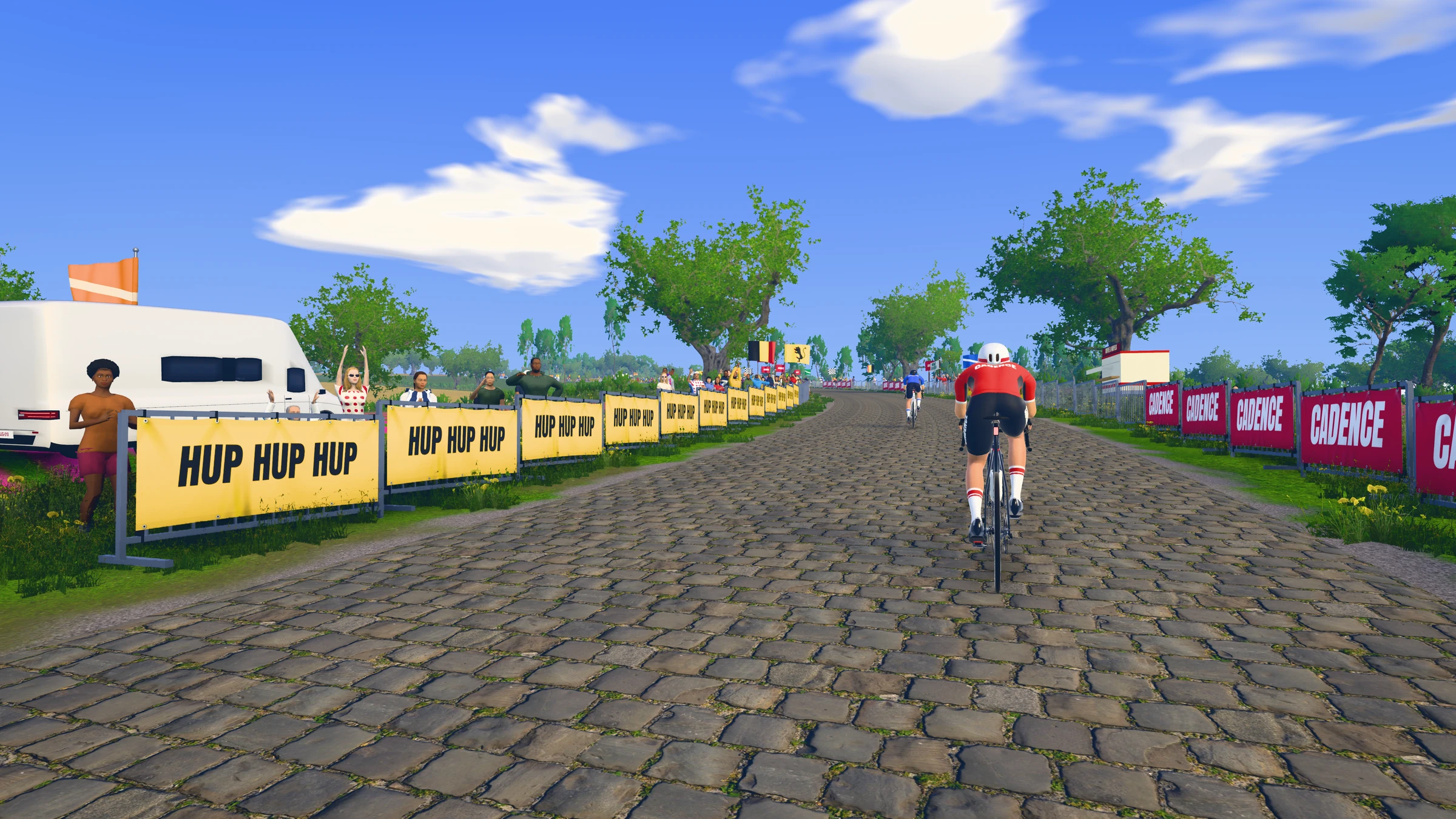
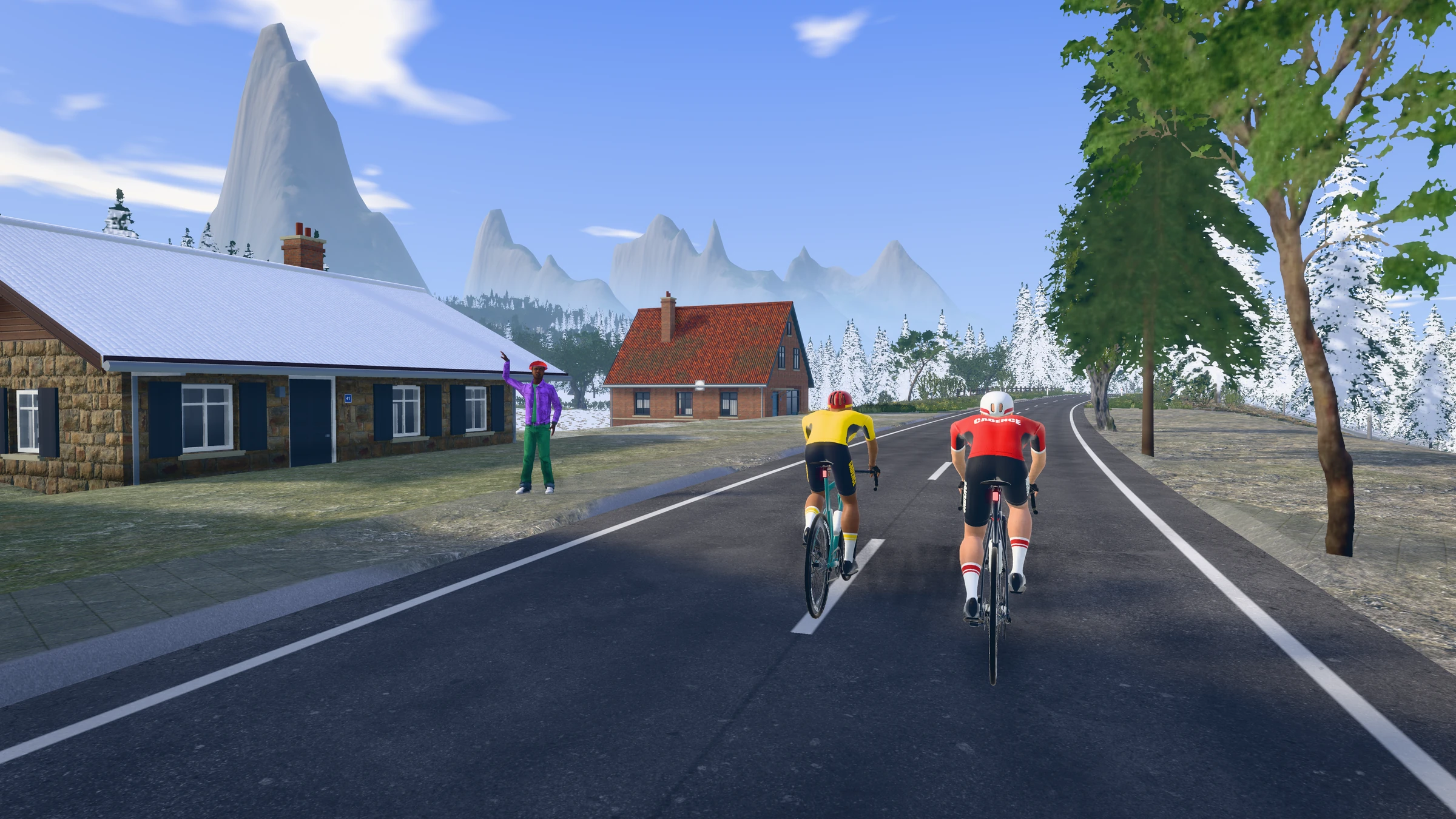
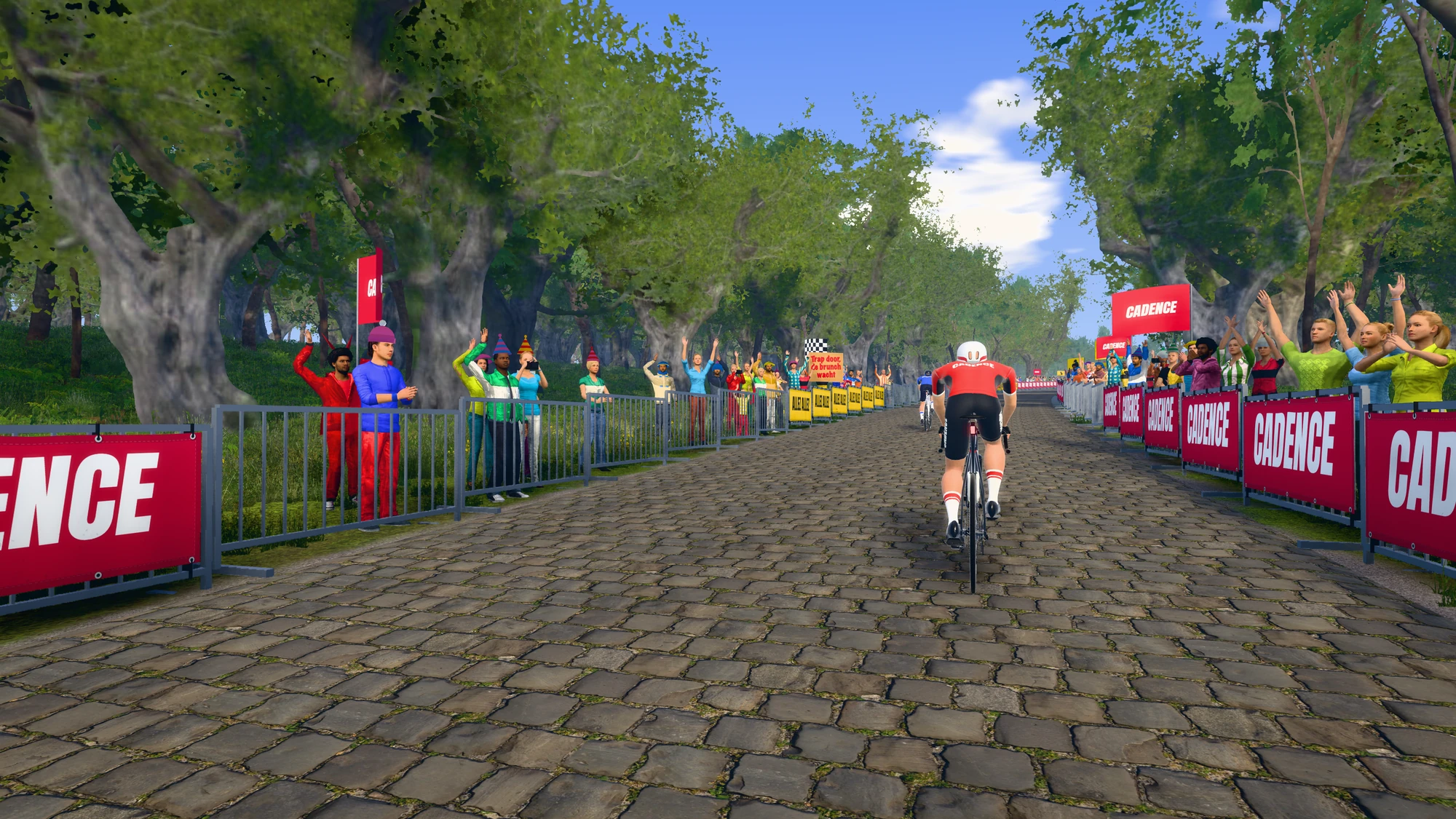
Straight from the app. What you pedal shows up on screen, and the road goes up when your trainer gets harder.
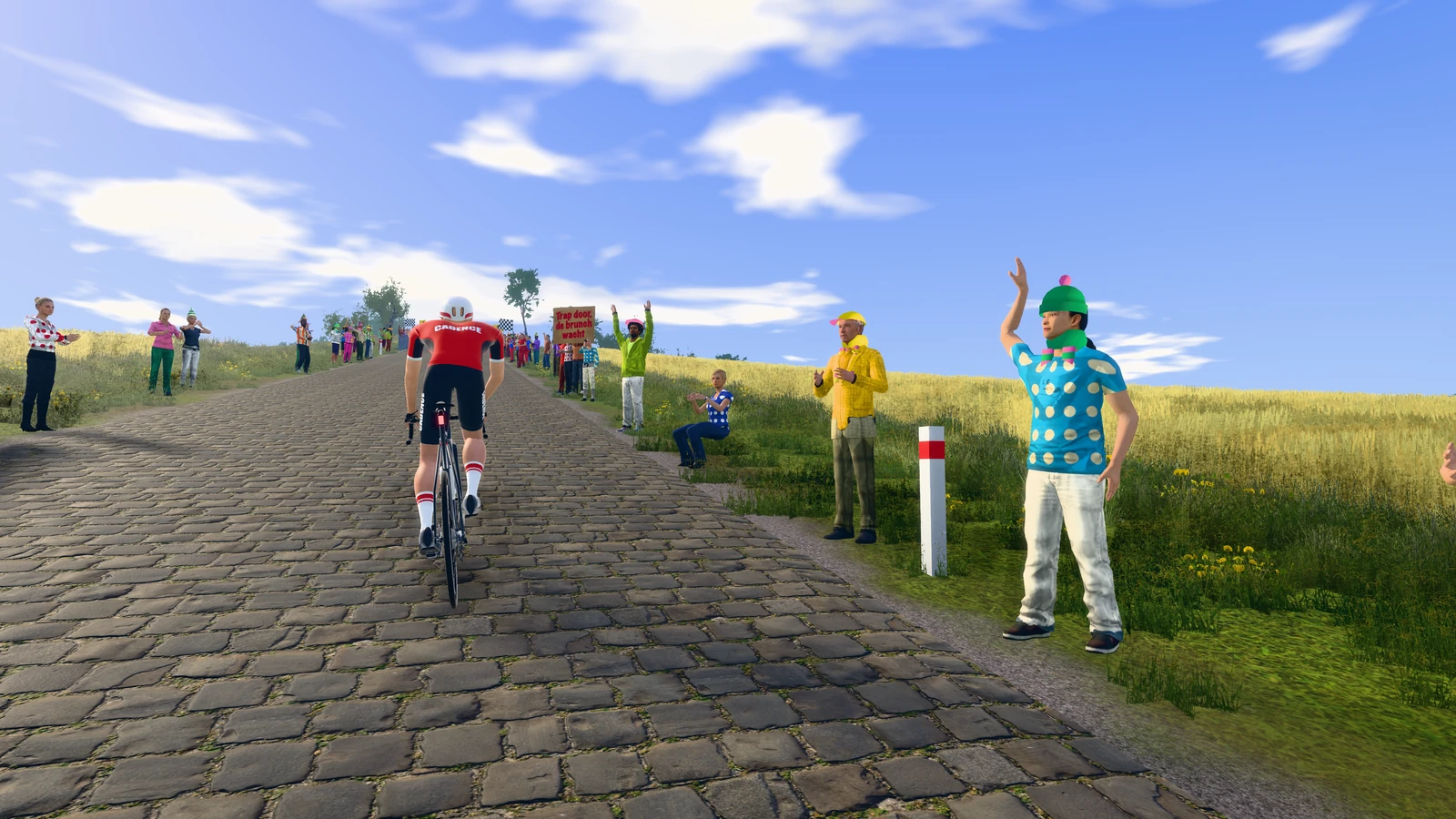
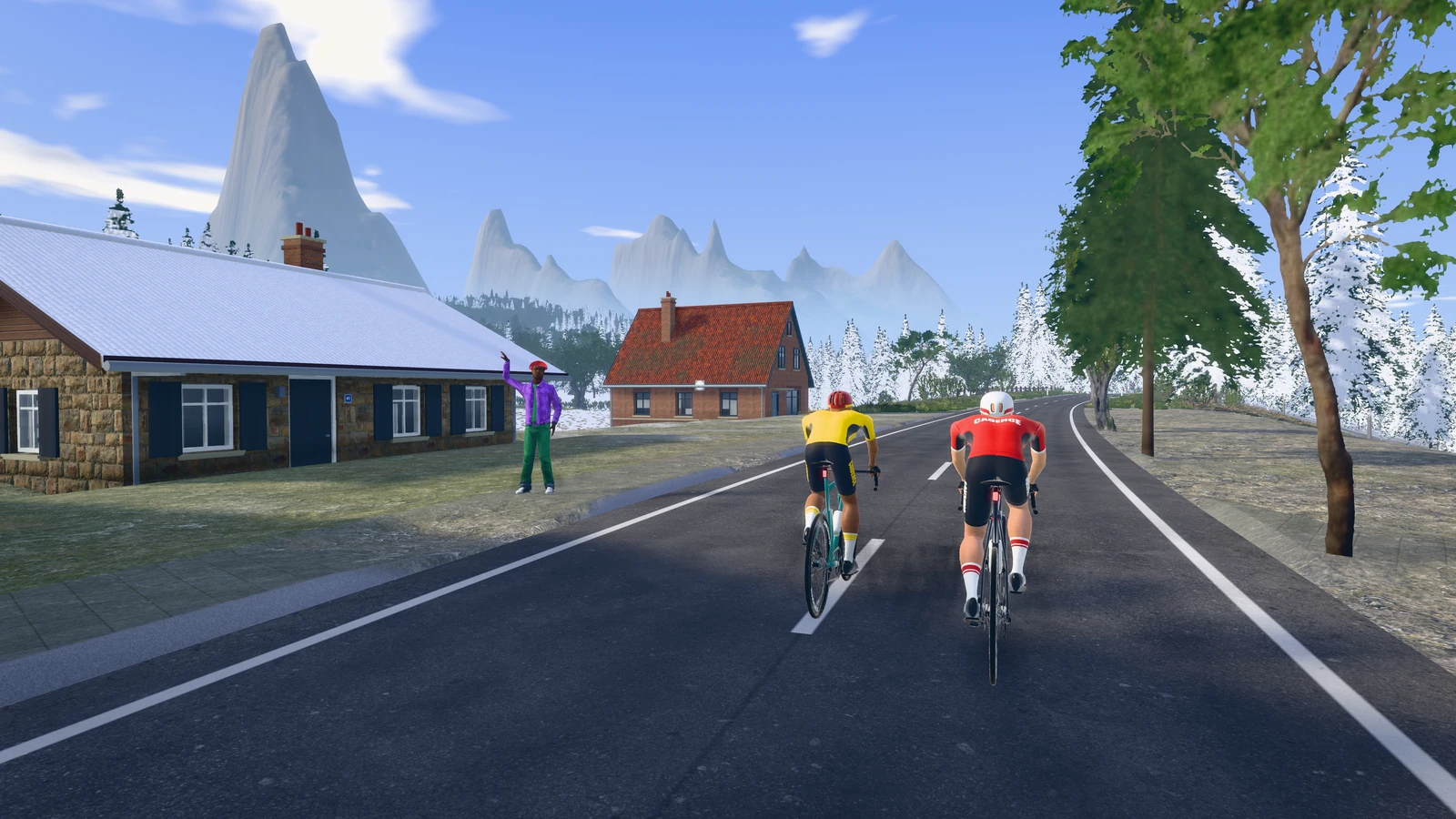
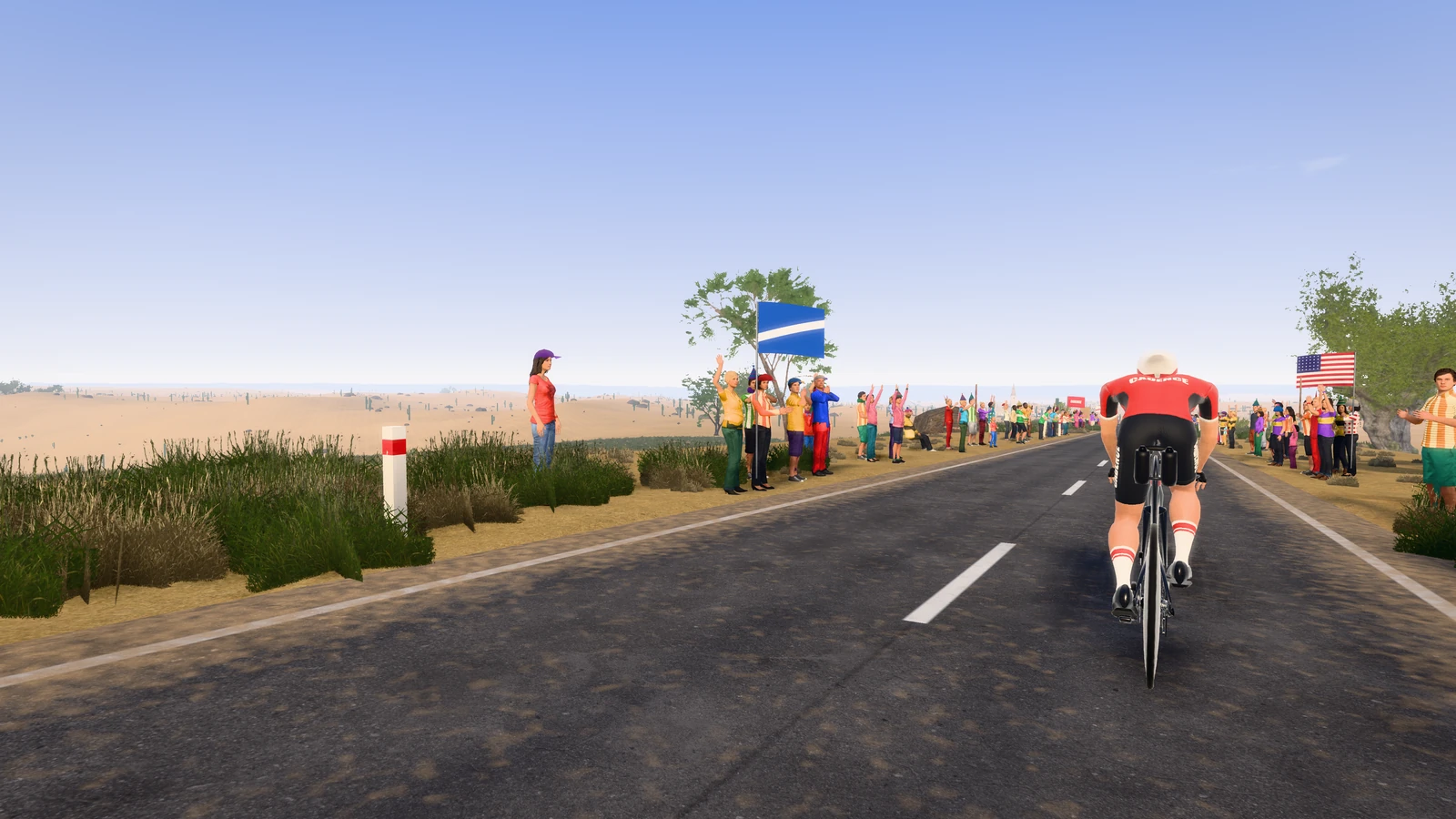
Flemish ArdennesCobbles, and a crowd yelling you up the hillThunSnow, chalets and mountain peaksKonaThe Queen KLanzarotePalm trees and volcanoesThrough the villagesBarber, butcher and a café terrace
All in one
Real routesExisting roads, from the Muur to Lanzarote. Your trainer feels every climb.
Know your finish timeSee in advance what your time will be at any power.
Training plansFTP Builder and more, tailored to your week.
Like a game3D world, countdown, and your controller on the bars.
With your friendsFollow each other, compare times, see who's riding.
Your ride as a fileA FIT file after every ride, for Garmin Connect, TrainingPeaks or intervals.icu.
Cadence was made to make indoor cycling affordable. During the beta it's free, until 31 December. After that it costs €3 a month, and every new rider can try it free for 15 days first. No price that goes up a notch every year.
Per month€3Cancel any month.
Per six months€18Six months in one go.
Per year€3017% cheaper than monthly.
For comparison: the well-known indoor cycling apps easily cost 15 to 20 euros a month.
Cadence
Existing routes on your own trainer. Free during the beta, then €3 a month.
Your rides on every device
Follow friends, with leaderboards per course
Your rides to Strava, with the title ready
Courses
Real roads, real climbs
Flemish climbs, mountain roads and island loops, all over the world.
Every course follows a route that really exists, with the real elevation profile. Your trainer gets heavier where the road goes up, and you see beforehand how long it takes you at any power. New routes keep coming.
Want to ride?
Create an account, connect your trainer and pick a course. Missing a route you'd love to ride? Let me know under
.
Coming soon
What's coming
New routes, and your rides automatically in Garmin Connect, TrainingPeaks and the rest.
A ride shouldn't only live in Cadence, but also in the platform you or your coach work with. That's what I'm working on now. A few connections already work, the rest I'm arranging. Here's where things stand.
New routes
I'm working on new routes to ride: more existing roads, more climbs, more countries. Which route would you love to ride? Add it under
, and it'll go on the list.
Connections
StravaBy hand
Cadence currently has no connection with Strava. After every ride you put it there in a few clicks: the file is in your Downloads folder and the title on your clipboard.
intervals.icuWorks now
With your own API key, and then your rides go there automatically. A button without a key is on its way.
TrainingPeaksIn progress
TrainingPeaks only works with partners it approves. The connection is built; now it just needs their yes. Until then you can add a ride yourself in three steps.
Garmin ConnectIn progress
Garmin doesn't just let apps like Cadence upload rides. I'm finding the way in. Until then, download the file after a ride and import it yourself.
WahooOn the list
Your ride straight to your Wahoo account. Next on the list.
What changed
Cadence is in beta. What I improve, often because someone reported it, goes here.
Why this matters
You don't train in one app. Your coach looks in TrainingPeaks, your watch puts everything in Garmin Connect, and your friends see you on Strava. An indoor ride that isn't there doesn't feel like it counts. I want to fix that, and I'm genuinely looking forward to it.
Hear when it's ready
You'll get the Cadence newsletter: an occasional email about new connections, features and courses. You can unsubscribe under every email. Missing a service? Add it under , and it'll go on the list.
How is it going?
Something not working, or something missing? Let me know.
Support
Need help?
Which trainer, which heart rate monitor, and why it can't find your trainer.
These are the questions people ask most, mostly about gear: what you really need, what's handy and what you can skip. If your question isn't here, ask it at the bottom. I read everything.
Nothing about that yet. Ask your question at the bottom and it'll be added.
Getting started
What do I need to get started?
Three things:
A smart trainer with Bluetooth. Almost any trainer from the last few years will do. How to check is explained below under Buying a trainer.
A computer with Chrome or Edge. A laptop next to the bike is enough. Windows, macOS and ChromeOS all work.
Your bike. Or a smart bike, in which case you don't need a separate bike or trainer.
A heart rate monitor, a controller and a fan make it better, but you can ride perfectly well without them.
Can I try it without a trainer first?
Yes. Go to Ride and press the tile Demo mode. A simulated rider pedals for you and you see everything: the world, the numbers, the elevation profile. A demo ride isn't saved.
Which device do I ride on?
On your laptop or computer, in Chrome or Edge: Windows, Mac or Chromebook. Cadence talks to your trainer over Bluetooth from the browser, and those two browsers can do that. Put your laptop next to the trainer and you're set.
It also works in Chrome on an Android phone or tablet, but riding is a lot nicer on a bigger screen.
Why not in Safari or Firefox?
Those browsers can't talk to Bluetooth devices directly. Chrome and Edge can. It isn't my choice; as soon as Safari or Firefox can, Cadence will work there too.
What does it cost?
Nothing during the beta: until 31 December it's a free pilot. After that it costs €3 a month, €18 for six months or €30 a year. That's a lot less than the 15 to 20 euros the well-known apps charge. I built it because indoor cycling is expensive enough already.
What happens after the pilot?
Your account and your rides stay where they are. If you want to carry on, you pick a subscription. If you do nothing, you pay nothing: nothing is ever charged automatically.
If you start after the pilot, you can try Cadence free for 15 days first.
Will it keep getting more expensive?
No. No price that goes up a notch every year. If anything changes in what you pay, you'll hear about it well in advance, not afterwards on your bank statement.
Buying a trainer
Does my trainer work with Cadence?
Probably. Check the specs for
Bluetooth FTMS (sometimes listed as "Bluetooth Smart" with FTMS). That's the standard that lets an app set the resistance. Almost every recent smart trainer from Elite, Wahoo, Tacx, Saris, JetBlack and Zwift speaks it. The Elite Suito-T and Rivo are the most thoroughly tested.
If your trainer only broadcasts power and no FTMS, you can still ride and see your numbers, but it won't get harder uphill. ANT+ on its own doesn't work: a browser can't reach it.
Wheel-on or direct drive?
A wheel-on trainer is the cheapest: your rear wheel stays on and presses against a roller. Fine to start with, but it's louder, wears out your tyre, measures less precisely and is worse at simulating steep climbs.
A direct-drive trainer is one where your rear wheel comes off and your chain runs on a cassette on the trainer itself. Quieter, more precise, and a climb feels like a climb. If you can afford it, this is the one to get; it's also what most people end up buying after a year anyway.
A smart bike is a complete bike that lives indoors. The nicest, the most expensive, and handy when several people of different heights ride the same thing.
What should I look for when buying one?
Bluetooth FTMS, see above.
How steep it can go. Listed in the specs as maximum gradient. Around 15% covers almost everything; for the Koppenberg or an Alpine giant you'll want more.
Does your bike fit? Check your axle (quick release or thru-axle, 142 or 148 mm) and, for a direct drive, your freehub: Shimano, SRAM XDR or Campagnolo. The adapters are usually included.
Is a cassette included? Not with some (the Suito-T, for example; that's what the T stands for). Then buy one with the same number of sprockets as your bike, 11 or 12.
Noise, if you live in an apartment or ride in the evening. Direct drives are quieter than wheel-on trainers.
My trainer has just one sprocket (Zwift Cog). Can I shift?
Yes. Cadence has virtual shifting: you shift with the plus and minus on a Zwift Click, Play or Ride, and the trainer makes it harder or easier. In the middle gear nothing changes, so with a normal cassette you won't notice anything until you shift yourself.
Is buying second-hand smart?
Often, yes. Trainers last a long time and people sell them after one winter. Ask whether it still gets firmware updates through the maker's app, whether it makes any ticking or rattling noise, and whether the adapters and power cable are included.
Heart rate and watches
Do I need a heart rate monitor?
No, your trainer measures your power and that's what matters for riding. But adding your heart rate tells you how hard that power was for you. After the ride you can see, for example, whether your heart rate crept up while your power stayed the same, and that says something about your form.
Chest strap, armband or watch?
A chest strap is the most accurate, especially in intervals where your heart rate jumps up and down. A simple one costs around forty euros and lasts for years. Well-known ones are the Garmin HRM-Dual, the Polar H9 and H10 and the Wahoo TICKR.
An armband (like the Polar Verity Sense) is more comfortable than a chest strap and almost as good, as long as it sits snugly on your forearm or upper arm.
A watch works too, if it broadcasts its heart rate over Bluetooth. See the question below.
Whatever you choose, it needs Bluetooth to work here; ANT+ alone won't do in a browser.
Can I use my watch as a heart rate monitor?
Garmin: yes, with Broadcast Heart Rate (sometimes called Heart Rate Broadcast). You'll usually find it under the heart rate widget or in an activity's settings. Turn it on before you connect. Older models only broadcast over ANT+, and then they won't show up in the list.
Polar, Coros and Suunto: many models can. Look in the settings for "share heart rate", "HR broadcast" or something similar.
Apple Watch: it doesn't broadcast its heart rate by itself. A separate app can do it, but that's a hassle. A chest strap is easier and more accurate.
My heart rate strap doesn't show up in the list.
Wet the strap a little and put it on: most straps only switch on when they feel your heart. If it's still connected to your phone, a watch or another app, disconnect that first. Many straps only talk to one device at a time.
Do my rides end up in Garmin Connect?
Yes, but by hand. Garmin doesn't let apps like Cadence upload directly. After a ride, download the file and import it into Garmin Connect; Settings explains exactly how. The same file also works in Strava, TrainingPeaks and intervals.icu.
A proper connection is in the works; see where it stands under
.
The rest of your pain cave
What else is handy?
A fan. The most important of all. Indoors there's no headwind, so your sweat doesn't evaporate and you overheat. A big standing fan aimed at your upper body makes more difference than any new trainer. Two is even better.
A trainer mat. Protects your floor from sweat and dampens the noise for the neighbours.
A towel over your handlebars. Sweat eats away at your headset and stem. There are also special sweat covers that hang over the top tube.
Two bottles. You sweat more indoors than outside. Count on at least one bottle per hour.
A controller on your handlebars. A Zwift Click, Play or Ride works with Cadence: shift and control the app without getting off your bike.
A bigger screen. A laptop works, but on your TV over HDMI it's a different experience. Press Full screen.
Do I need a cadence sensor or power meter?
No. A smart trainer measures your power itself, and almost always your cadence too. A separate power meter on your bike only makes sense if you also want to ride by power outside.
My computer has no Bluetooth, or the range is poor.
A USB Bluetooth dongle costs a few tens of euros and solves both. Put it close to your trainer with an extension cable if the signal drops. A trainer three metres away behind a metal frame is just too far for some laptops.
When it doesn't work
My trainer isn't in the list.
Pedal a few strokes to wake it up. Close other apps that might be connected to the trainer, including on your phone (the maker's app, Zwift, the Companion app). A trainer often only talks to one app at a time. If it still doesn't work, click Show all devices….
On a Mac: check System Settings → Privacy & Security → Bluetooth to make sure Chrome has access.
It's connected, but doesn't get harder uphill.
Check Wind and difficulty to make sure difficulty isn't set to 0%. If your trainer shows "Cycling Power" instead of "FTMS", it can't be controlled. A firmware update through the maker's app usually fixes that.
The connection drops during a ride.
The ride then pauses by itself and Cadence tries to reconnect a few times. What you've already ridden is kept. If it happens often, move your laptop closer to the trainer or use a Bluetooth dongle, and close apps on your phone that also want to connect.
My power doesn't look right.
Do a calibration (spindown) in your trainer's app. On a wheel-on trainer, check your tyre pressure and how hard the roller presses against the tyre, because that changes your power more than you'd think.
Bringing your past rides
How do I bring my rides to Cadence?
Under Activity there's the Import old rides card. You can do it like this:
Directly from Strava, through the connection. Handy for the last few months.
The full archive Strava or Garmin emails you, as a zip. Everything at once.
Individual files: FIT, TCX or GPX, many at once is fine.
Then your fitness, form and power curve are right from the start, and you can turn an old ride into a workout.
How do I import my rides from Strava?
Log in, go to Activity and under From Strava choose the last three months or everything. If Strava isn't connected yet, Cadence first asks Strava for permission; after that the import starts by itself.
Did you connect Strava earlier to upload rides? Then Cadence could only write. You'll be asked once to reconnect and allow reading.
How do I bring in my whole Strava history?
With Strava's archive. Everything comes in at once, without limits.
On strava.com go to Settings, My Account.
Choose Download or Delete Your Account, and there Request Your Archive.
Within a few hours Strava emails you a link to a zip.
Drop that whole zip onto Import past rides under Activity.
Did your Mac unzip it automatically? Open the folder, select all files in the activities folder and include activities.csv. Then your rides keep their Strava names.
How do I import my rides from Garmin Connect?
Everything at once: log in on garmin.com, go to Account, Data Management, and choose Export Your Data. Garmin emails you a zip; drop the whole thing onto Cadence. Cadence unpacks the zips inside it by itself.
One ride: open it in Garmin Connect, click the gear icon and choose Export Original. You can drop that zip onto Cadence as it is.
If your Garmin rides are on Strava too, the Strava archive is easiest.
And from Zwift, Wahoo, TrainingPeaks or intervals.icu?
Zwift: your rides are FIT files on your computer, in Documents, Zwift, Activities. Or download them one by one on zwift.com.
Wahoo: in the ELEMNT app, open a ride and share it as FIT.
TrainingPeaks: open a workout and download the file under Files.
intervals.icu: on an activity under Actions, Download original.
Do your rides already go to Strava from there? Then one Strava archive is faster than everything separately.
Who can see the rides I import?
Only you. They're stored in your own browser and don't go to your friends, the feed or a leaderboard. They do count in your totals, fitness, form and power curve.
That's why they don't show up on a second device by themselves; import them there again. Rides from Strava also never go to the AI coach: Strava doesn't allow it.
Why were some rides skipped?
Cadence only imports bike rides. Runs, swims and e-bike rides are skipped, as are rides shorter than two minutes.
A ride that's already there isn't added twice: same start time, same Strava id, or a ride you sent from Cadence to Strava. So importing something twice does no harm.
Strava says I have to wait.
Strava lets each app fetch only a limited number of rides per 15 minutes and per day. When that runs out, Cadence waits for the next 15 minutes and carries on by itself, as long as the tab stays open. If you stop, next time it picks up where you left off.
Got years of rides? Then the Strava archive is much faster.
My fitness looks odd after importing.
Two things. Fitness is calculated over six weeks, so the first six weeks of what you import read too low: the years before aren't in there. So preferably import more than three months.
And a ride without a power meter gets a load from your heart rate. If your maximum heart rate under Settings is wrong, that load is wrong too.
How do I remove imported rides?
One ride: open it under Activity and click the cross. Everything you imported: under Import old rides there's Delete imported rides. Rides you rode in Cadence stay.
Account and rides
Where are my rides stored?
In your own browser. With an account, a copy goes to the server so you can see them on another device and share them with friends. Exactly what's stored is in the
.
How do my rides get to Strava?
Cadence currently has no connection with Strava, so it's done by hand. As short as it gets:
After your ride, click Send to Strava. The file goes to your Downloads folder.
In the window, click Open Strava. Your ride's title is then on your clipboard.
On Strava, choose the file, click in the Title box and paste. Done.
An old ride works too: open it under Activity and choose Send to Strava there. Uploading only works on Strava's website, not in the app.
I forgot my password.
When logging in, click Forgotten your password?. You'll get an email with a link to choose a new password.
Question not listed?
Ask it here. About a trainer you want to buy, something that doesn't work, or simply whether your gear will work. I'll reply by email, and questions that come up often get added above.
About
About Cadence
I am Finn. I have not been cycling all that long, and when I wanted to start training indoors I was taken aback by what it costs. So I built it myself, for my friends and for me.
The Oude Kwaremont, with the pace bot just ahead of you.
How it started
A trainer in the shed, a laptop next to it, and the question of whether I could tie the two together. It turned out I could: nearly every modern trainer speaks the same protocol, and a browser can talk to it directly. The first thing that worked was a little bar that moved with how hard I pedalled. Ridiculously simple, and I was far too pleased with it.
Then I wanted a real course, with climbs you feel in your legs. Once that was there I wanted to know how fast I would actually go on it, so physics came along: gravity, rolling resistance, air resistance. And once I had that, I wanted to see it. Before I knew it there was a world around it.
It was never a plan. Every time, it was one thing I was missing.
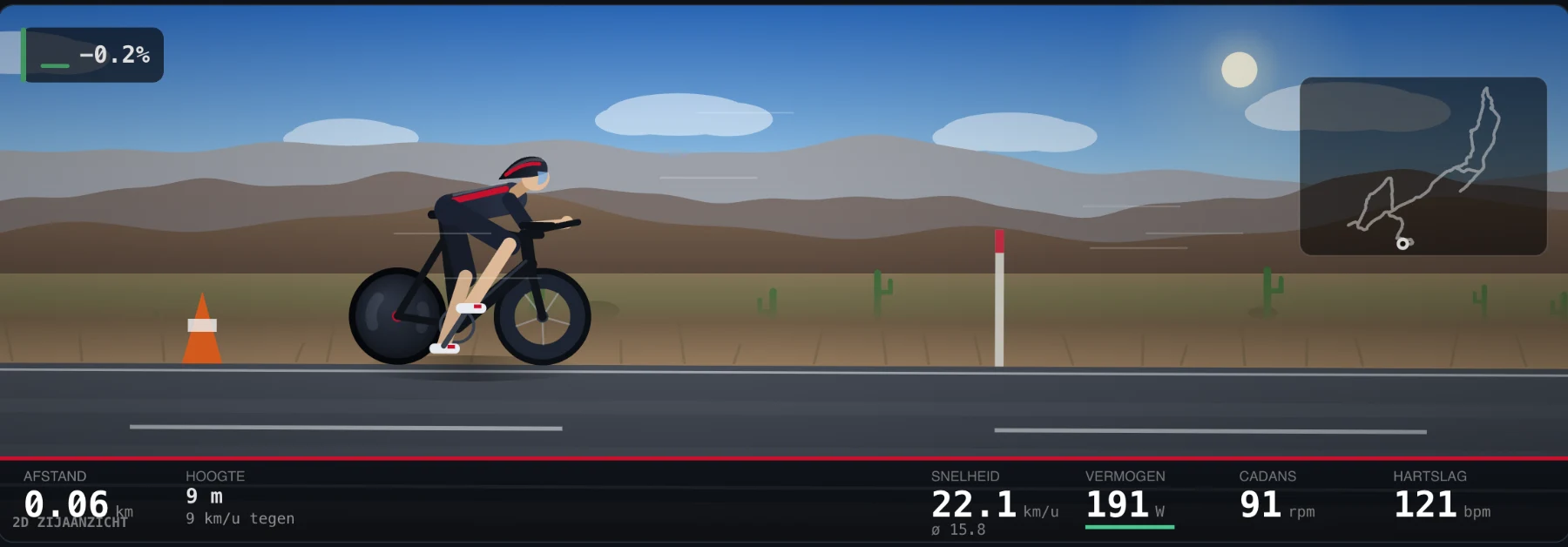
The very first version, September 2026. Back then it was still called OpenRide: a rider seen from the side, a road, a few cacti and the numbers underneath.
What it does
You pick a course, and your trainer follows the elevation profile. Your speed does not come from a table but from what actually happens, so three hundred watts uphill means something very different from three hundred watts downhill. Afterwards you see where you lost time, whether you pedalled evenly, and whether your heart rate crept up while your power stayed flat.
This is what a ride looks like: what you're pedalling at the top, where you are and what's coming on the right.
Beyond that: workouts with blocks, a planner for your week, goals per week or month, and every ride as a file for your other apps. And your friends: their rides in your timeline, leaderboards per course, and riding groups for when you ride with a club.
What it is not
Not a big platform with a thousand strangers around you, no jersey shop, and you do not earn anything by pedalling for longer. If that is what you are after, one of the big commercial platforms really will serve you better, and I am the last person to deny it.
What you get here is a trainer that does exactly what you want. Your data isn't sold, and there are no ads. It works on your laptop in Chrome or Edge, because those can talk to your trainer directly.
Not sure which trainer or heart rate monitor to buy? That's all under
.
What it costs
Nothing during the beta: until 31 December it's a free pilot, to find out what can be better. After that €3 a month: enough to keep it going, and far below what the well-known apps charge. I was shocked myself by what indoor cycling costs, and I'm not going to do the same.
Your rides are yours
Your rides live in your own browser. What ends up on the server is a copy, so you can see them again on a second device and share them with your friends, not because I need them. If the server is down, you just keep riding. Exactly what is stored is set out in the
, in plain language.
How you help
By using it and saying what is wrong with it. There is a
in the app; it comes straight to me and I read everything. Three lines about a button that does not work are worth more than a compliment, so feel free to be blunt.
Staying in the loop
The occasional email when a new course is added or something works markedly better. No more often than that, and you can unsubscribe with one click at the bottom of every email.
Cadence
offers this app through Cadence.
is responsible for your data; Cadence processes it on their behalf.
Privacy
What Cadence stores about you, why, for how long, and what you can do about it. In plain language, because a statement you do not read is not a statement.
Version 2026-11-01.
Who this is
Cadence is built and run by Finn van Santen. Questions, or to exercise any of your rights below: email
finn@cadencerides.com.
Cadence is in beta and is not yet registered with the Dutch Chamber of Commerce (KVK). So there is no KVK number and no business address yet. They will appear here once registration is done, and in any case before Cadence asks for money.
Where your rides live
Your rides and your workouts live in your own browser. If you have an account, there is a copy on the server, so you can see them on a second device and share them with the people you follow. If the server is down, you just keep riding.
Your settings go with your account: your height, weight, FTP and maximum heart rate, your bike, how your ride screen is laid out and what your rider looks like. So on another device you are ready to go straight away.
What is stored, and why
Your account
Your name, email address and an encrypted version of your password. Needed to let you log in and to tie your rides to you.
Your rides
Distance, time, elevation, power, heart rate, cadence and speed, and which course or workout you rode. Needed to show them on every device, and to share them with your followers if you want to.
Your settings
Your height, weight, FTP and maximum heart rate; your bike (weight, wheel circumference, rolling resistance and air resistance); how hard the trainer responds, wind and temperature in the app, your units, the layout of your ride screen and what your rider looks like. Needed so you ride with the same settings on every device.
Your profile
Your username, and if you fill them in yourself a profile photo, a few words about yourself, your location and a race goal with a date and target time. Anyone with an account can see your profile; your rides only as far as you allow per ride.
Comments and ride photos
What you write under a ride, and the picture of a moment from your ride if you add it to the ride. Visible to everyone who may see that ride.
Planner and goals
The workouts you put in your planner, with your notes, and your goals per week or month. Only for you, and for the coach when you ask it a question.
Ranked
Which levels you rode, with your score, stars and rank, and the FTP Ranked measured for you. Your rank is shown on your profile; the rest is only for you.
Riding now
While you ride: that you are riding or paused, on which course, for how long and how far so far, and your power. The people who follow you and your fellow group members see this. It disappears as soon as you stop.
Who you follow
Who you follow and who follows you, and any pending requests. Needed to decide who may see which ride.
Your riding groups
Which groups you are in and since when. Needed to work out who may see which ride: members of a group see each other's rides.
Your devices
Where you are logged in, and with what browser. Needed to keep you logged in and to let you log out remotely.
Your consents
When you agreed to the terms and which version of this statement that was, and when you gave consent for your heart rate and power. Needed to be able to show that you gave it.
Newsletter
Only your email address, and only if you sign up for it yourself. Separate from your account: one does not require the other.
Error reports
If something breaks in the app or on the server, the error is reported automatically: what went wrong, where in the code, which screen you were on and which browser you used. If you are logged in, the report is linked to your account, so Finn can see who is having the problem. No rides and no location.
Ride quality
How a ride went technically: how often the connection to your trainer or to the buttons on your handlebars dropped and whether it came back, how quickly shifting got through, how smoothly the picture ran, and the name of your trainer, your handlebar buttons and your graphics chip. This is tied to the same random number as the visitor numbers, not to your account. You can turn it off below.
Visitor numbers
That someone came by, with which browser and which system, your screen width, language and time zone, your IP address, and the town, region, country and network (your provider or company) that go with that address. If you ride, also the course, the type of ride, the name of your trainer, the distance, the duration, the elevation gain and your average power. This hangs off a random number in your browser, not off your account. You can switch it off below.
How you found Cadence
One word, like "reddit" or the name of your club: the label in the link you first arrived with, or otherwise the website you clicked through from. It's stored with your account if you create one. Needed to know which way of spreading the word about Cadence works. Nothing about what you did on that other site.
How you heard about Cadence
What you choose for that question when you create an account, and what you type yourself under "Other" (a hundred characters at most). Not required. Only Finn sees it.
Feedback
What you write in the feedback screen or under Support, which screen you were on and which browser you used, and your name and email address if you fill them in or are logged in. Needed to reply to you and to make Cadence better.
Questions the coach could not answer
The question (five hundred characters at most) and the language, without your name or account. Needed to fill in the gaps in the coach's explanations. Because this is not linked to you, it stays when you delete your account: so do not put anything personal in it.
Why this is allowed
Your account, your rides, your settings, your profile, your planner and goals, Ranked, comments, who you follow, your groups and the connections you switch on yourself are needed to make Cadence work for you: that is the agreement you enter into when you create an account.
You give consent for your heart rate and power by agreeing to this privacy statement when you create your account, see below. The newsletter and anonymous sharing with the coach only happen with your consent.
Error reports, visitor numbers, how you found Cadence, the pilot emails and keeping your account secure fall under a legitimate interest: keeping the app working and safe, knowing what gets used and making the pilot a success. You may object to this, see Your rights.
Heart rate and power are health data
That's not a formality. What your heart does when you exert yourself says something about your health, and the law treats that more strictly than your name or email address. By agreeing to this privacy statement when you create your account, you give Cadence consent to store your heart rate and power. Without that agreement there's no account: without heart rate and power there's nothing to store.
You may withdraw that consent at any time. You do that by deleting your account under Settings; everything that belongs to your account then disappears.
Making the coach better, only if you want to
After a ride Cadence asks how hard it was. That answer is stored with your ride and helps your own coach. On top of that, with a separate checkbox in your profile or in Settings, you can share anonymously how hard workouts were and what you thought of the coach's answers. That checkbox is off by default; we record when you turned it on, and you turn it off in the same place.
What is shared then: per workout its type, how hard it was on paper, the duration, your answer, whether you finished it, your FTP rounded to 25 watts and your level in that type; with a thumbs up or down under an answer also your question, the answer and your reason, shortened. Without your name, account or date, only the week. That makes it impossible to trace back to you, which is why it stays when you turn the checkbox off or delete your account. If you don't turn the checkbox on, we only keep whether a thumb was up or down and whether the question was about Cadence or about training. Rides from Strava never go into this.
The newsletter
Signing up takes two steps: you enter your address and get an email with a link. Only when you click it does your address go on the list. That is deliberate, because otherwise anyone could type in your address and you would be receiving mail you never asked for.
Every newsletter has an unsubscribe link at the bottom, and the button your mail program adds itself works too. After unsubscribing only your address remains, with the date, so we know you want to stay off the list.
Emails during the pilot
During the free pilot, Finn sends you a few emails: a few days after you signed up, asking whether connecting your trainer worked, and in December an email about how the pilot continues, with your own numbers in it (how many rides and kilometres, and your most-ridden course). Plain text, with nothing that tracks whether you open the email. Every email says at the bottom how to switch them off. We keep a record of which of those emails you received and when.
For how long
As long as your account exists: your account, rides, measurements, ride photos, profile, settings, planner, goals, comments, Ranked, who you follow, your groups, your connections, your consents, how you heard about Cadence, which pilot emails you received and your error reports. If you delete your account, all of that goes right away. The measurements and photos are erased from storage in batches; that is done within a few hours. If you remove a single ride, only its name, type, duration and start time stay with your account, so your other devices know it has to go.
Groups that you own do not disappear with your account: they pass to the member who has been in them longest. If nobody else is in the group, it does go.
Your devices: a login stays valid for ninety days and is then erased. A link to confirm your address works for seven days, a link for a new password for one hour; after that they go.
Riding now: until you stop, and if the app could no longer report that, after one day at most.
Emails Cadence sends stay in the queue for thirty days after sending, and are then erased.
Automatic error reports: ninety days.
Ride quality: ninety days.
Feedback you wrote yourself: until Finn has dealt with it and throws it away, and in any case no longer than your account exists. If you wrote without an account, email if you want it removed.
Visitor numbers: the IP address, and what was looked up for that address (town, postcode, coordinates and provider), is erased after sixty days. The rest stays for the longer-term numbers, because by then it can no longer be tied to anyone.
Newsletter: until you unsubscribe. Your subscription belongs to your email address, not your account, so you remove it with the unsubscribe link.
Anything that cannot be traced back to you, such as the questions the coach could not answer and what you shared anonymously to make the coach better, stays.
Restore points: Cloudflare's database can be restored up to thirty days back. Whatever you delete is gone from there too after thirty days at most. Technical server logs, which sometimes contain an IP address, disappear after a week at most.
Who can see it
You, always. Your followers see your rides if you leave them visible to followers; per ride you can change that to private, or to public, with a link anyone can open. Someone only starts following you once you approve the request, unless you switch approving off in your profile. Finn can technically access the database, because he runs it.
If you are in a cycling group, its members see your rides just like your followers. That is the whole point of a group, but it is here because it matters: you only get in with an invitation, and you can leave at any time. A private ride stays private, also for your group.
If you ride through a business, on the own address of a bike shop or gym, the administrator of that business sees your name, your email address, when you signed up and when you last came by, and how many rides you did. That business is then responsible for your data, and Cadence processes it on their behalf.
Nobody else. Cadence sells nothing on, carries no advertising and runs no third-party scripts.
Where it is kept, and which other parties are involved
Cloudflare hosts the app, the database and the storage of your measurements and photos. Cloudflare is an American company, and the storage of measurements and photos is copied across their network around the world, so also outside the European Union. Cloudflare takes part in the EU-US Data Privacy Framework, and beyond that the agreements in their data processing agreement apply. They only process on instruction and may do nothing with it themselves.
Strava. Cadence currently has no working connection with Strava: you upload the file yourself on the Strava website, and Strava's terms apply there. If you connected Strava before, an encrypted key is still stored; you remove it under Settings, and it disappears with your account. Either way, we also revoke it at Strava itself.
The Cadence coach, when you ask the coach a question without your own API key. Your question, the conversation so far and a short summary of your training then go to Mistral AI, a French company that processes inside the European Union: your FTP and weight, weekly totals, one line per recent ride, your fitness and form, your goals, what is in your planner and your recovery data (resting heart rate, HRV, sleep) if you track it. A question about how Cadence itself works may go to DeepSeek, which processes in China; then only that one question is sent, without the conversation, your name or your training. Your name and email address are never sent. The conversation is stored only in your browser; on the server we only keep track of how many questions you asked per day.
The AI you choose for the coach (for example ChatGPT, Claude, Gemini or another model), when you ask the coach a question with your own API key. The same summary then goes through our server to that provider. What the provider does with it is in their terms; DeepSeek processes everything in China, and some free tiers may use it to improve their models. Rides from Strava are never sent, not even in the totals. Your key is stored only in your browser; Cadence passes it on and does not store it, nor the conversation.
intervals.icu, only if you switch that connection on yourself. Your API key, or the access you gave through intervals.icu, is then stored encrypted on our server. If you switch on automatic upload, every ride goes to intervals.icu by itself when it ends, with the second-by-second measurements (power, heart rate, cadence and speed) and the name and description of the ride. When you ask, Cadence fetches your resting heart rate, HRV, sleep, weight and how rested you are; these are stored in your own browser, not on our server. If connections with other programs are added, they work the same way.
Resend sends Cadence's emails: the confirmation of your account, the welcome email, a new password, the pilot emails and the newsletter. For that they receive your email address, your name and the content of the email. Resend is based in the United States; passing your data on to them there is covered by the agreements in their data processing agreement.
Brevo, a French company, is the backup: if Resend is not working, the same emails can go through Brevo, with the same data.
Claude by Anthropic helps Finn sort the feedback that comes in. That AI receives the text of your feedback and the screen you were on, but not your name or email address.
ipwho.is, api.db-ip.com and RIPE NCC look up a town for your IP address for the visitor numbers. For that they receive that address, once per address. What they return is a town name that is often tens of kilometres off, with a postcode, approximate coordinates and the name of your provider. We keep that for sixty days at most, just like the address itself.
Do not count my visit
The visitor numbers go nowhere else and are not linked to your account, but you can switch them off. That applies to this browser on this device.
Your visit is being counted.
Your visit is no longer counted on this device.
Cookies
Cadence sets one cookie, and only when you log in: it keeps you logged in. No consent is needed for that, because without it you cannot log in. There are no advertising cookies and no third-party trackers.
Cadence also keeps things in your own browser's storage: your rides, your settings, your workouts, your planner, your conversations with the coach, a random number for the visitor numbers, and how you found Cadence. With an account, a copy of your rides, settings, planner and goals goes to the server; your conversations with the coach and your recovery data stay on your own device only.
Your rights
Access. Under Settings there is a button that downloads everything the server knows about you as a file.
Taking your data with you. That file is plain JSON, and you can download each ride separately as a file other training programs can read.
Correction. You change your name, profile, settings, FTP, weight and heart rate yourself.
Erasure. You can delete your account under Settings, and it takes everything that belongs to your account with it.
Objecting. You can object to what we do on the basis of a legitimate interest, such as the visitor numbers, the error reports and the pilot emails. You switch off the visitor numbers yourself above and the pilot emails at the bottom of each email; for anything else, email Finn.
Restriction. If you doubt whether something is right, or want us to stop using something for a while as we look into it, email us; we will put it on hold in the meantime.
Withdrawing consent. See above. What we did before you withdrew it remains lawful.
Complaining. If you think this is being handled badly, you can lodge a complaint with the Dutch Data Protection Authority.
We reply to a request by email within one month.
Security
Passwords are not stored, only an encrypted fingerprint from which your password cannot be worked back. Of your login key we keep only a fingerprint, so even with a copy of the database nobody can log in as you. The keys for your connections with Strava and intervals.icu are stored encrypted. Everything travels over a secure connection.
Perfect does not exist. If something ever goes wrong involving your data, you will hear it from us.
If this changes
If something material changes, you get to see it again and we ask you to agree again. The version is at the top of this page.
Cadence
offers this app through Cadence.
is responsible for your data; Cadence processes it on their behalf.
Terms
The agreement between you and Cadence while Cadence is in beta. Short and in plain language.
Version 2026-10-14, for the beta.
Who I am
Cadence is built and run by Finn van Santen. In these terms, "I" means Cadence and "you" means you. Reachable at
finn@cadencerides.com.
Cadence is not yet registered with the Dutch Chamber of Commerce (KVK). So there is no KVK number, VAT number or business address yet. They will appear here once registration is done, and in any case before Cadence asks for money.
What Cadence is
An indoor cycling app that runs in your browser. Your smart trainer rides real courses with their elevation profile. You need a smart trainer with Bluetooth (FTMS), and Chrome or Edge on a computer or Android device. It does not work on iPhone or iPad.
The beta
Cadence is in beta. Until 31 December 2026 it is free, as a pilot to find out what can be better. A beta can contain bugs, and features can change or disappear. During the beta nothing is ever charged, and you never enter a payment method.
After the beta, Cadence costs €3 a month, €18 for six months or €30 a year. You only keep riding after the beta if you choose a subscription yourself. Paying, cancelling and refunds will then get additional terms, which you will see before you pay anything.
Your account
You must be 16 or older.
One account is for one person. Keep your password to yourself.
Your name, photo and profile text must not be offensive or misleading, and must not pretend you are someone else.
You can always delete your account yourself under Settings. Your rides are then removed from the server too, as the privacy statement describes.
Fair riding
You may not:
fake rides, times or your FTP, or get into a leaderboard or Ranked unfairly in any other way;
misuse, overload or scrape the app, the server or other people's data;
harass others through profiles, comments or groups.
If that happens, I can remove a ride or time, and block your account if it happens again or is serious.
The demo rider is there to look around. Whatever you ride with the demo rider, on a course or in Ranked, is never saved: it earns no levels, does not count towards your kilometres and cannot go to other apps.
Your health
Indoor cycling is hard exercise, and you train at your own risk. If you have doubts about your health, check with a doctor first. Cadence gives training suggestions, zones and an AI coach, but no medical advice. Set up your bike and trainer firmly and safely, following the manufacturer's manual.
The AI coach
The coach uses an AI you choose yourself, with your own API key. What that provider charges you and what it does with your question are set out in its own terms. An answer from the coach can be wrong; use your own judgement.
Your question and a short summary of your training (weekly totals, your latest rides, your recovery) go to the provider you choose, under their terms. Your name and email address don't. Note: some free tiers, such as Google's, may use what you send to improve their models, and DeepSeek processes everything in China. Rides from Strava never go to the AI. More in the
.
Your rides and what you share
Your rides, your photo and what you write belong to you. You only give me permission to store them and show them to whoever you allow (your followers, your groups, the leaderboards) for as long as your account exists. How I handle your data is in the
.
I do my best to keep Cadence working, but I can't guarantee it, certainly not in a beta. Maintenance, outages at Cloudflare or a new browser version can make it temporarily unusable.
Liability
Cadence is free during the beta. I am not liable for damage to your trainer, bike or other equipment, for injury while cycling, or for lost rides, unless it is caused by my intent or gross negligence. Then the law applies.
If these terms change
If something important changes, for example when payments arrive, you will hear about it by email in advance, with what changes.
Questions and complaints
Email finn@cadencerides.com. You will get an answer within 14 days. Dutch law applies to these terms. If you live in another EU country, you keep the protection your country's law gives you as a consumer.
Ready to ride?
News
Your friends
Ask your AI coach
Cédric
AI cycling coach · knows your rides and form
10questions left
Find people
Follow requests
Your groups
Group members see each other's rides, even if they don't follow each other. A ride you set to private stays private.
Public groups
Anyone can join these. In a public group, members only see each other's public rides.
Join with an invitation
Enter the code you were given, or open the link.
Start a group yourself
Who rode the most
You'll see the fastest times per course when you pick a route to ride.
From people you follow
Steps are in percentages of FTP, so a workout you take over adapts to your level.
What you share
What else would you like to see?
A route you want to ride, a feature you miss, something that could be better: let me know. I read everything.
Cadence
Ready to ride?
Press A or Enter
1Devices
2What will you do
3Course
4Opponent
5Start
Connect your gear
What does PowerMatch do?
Your trainer and your power meter (pedals or crank) almost never measure exactly the same: a few percent difference is normal. In ERG the trainer holds its own number on target, so without PowerMatch you ride a whole workout a few percent too hard or too easy according to your own meter.
With PowerMatch on, your power meter counts: on screen, in your ride and in your stats. Cadence learns the difference while you ride (in about a minute) and sets the trainer just enough higher or lower that your meter shows the target. The label next to it shows how much it corrects.
Leave it on if your meter is the number you know and use outdoors. Turn it off if you'd rather follow your trainer. Sprints and stops don't count, and outside ERG it does nothing.
Test your controller
Press a button. If it lights up below, it works.
A Zwift Click or Play has two halves, and you connect each half separately. A, B, Y, Z and the plus are on the right, the arrows and the minus on the left. A and B not working? Press Connect controller again and choose the other half.
Zwift Click v2: outside Zwift, the left half (minus and arrows) stops briefly every minute. Cadence restarts it automatically, and it works again after a few seconds. In the meantime you can shift easier with B on the right. To get rid of the hiccups, first connect the Click in the Zwift app for a moment (no subscription needed), close Zwift completely and reconnect it here. That lasts about a day.
What Cadence does with your trainerTechnical details
What are you going to do?
More options
Choose your route
Choose your workout
Then your ride counts kilometres and elevation on a real course, and gets a map. The workout sets the resistance, the course your speed. Without a course you ride a flat loop through the landscape.
Who are you riding against?
Ride live with friends on the same course, the two of you or as a group of up to seven. You see each other in the world, and each other's power and speed.
or join with a code
Code
Whoever created the ride picks the mode and the course.
What is this going to cost you?
Or the other way round
Ready to roll
Press A or Enter
No ride in progress.
Gear12
Speed0.0km/h
Power0W
–
Avg power0W
NP 0 W
Cadence0rpm
Heart rate–bpm
Gradient0.0%
Time0:00
Distance0,00km
To go–km
Climbing0m
Course
Climb in
Best power
Reserve (W')–
3
Waiting for your friend…
Power0W3s 0 W · 0.0 W/kg
Zone–set your FTP
Avg power0WNP 0 W
Cadence0rpm
Heart rate–bpm
Speed0.0km/havg 0.0 km/h
Gradient0.0%
Windno wind
Distance0,00km
Time0:00
Elevation0m
Energy0kJ
Target0 W
Pace bot–
Projected finish–
Course
Power & heart rate
Laps
Ranked
Training plans
A plan of several weeks, with build-up and recovery in the right places. Or put one together yourself from your own workouts.
Coach
Ask how your week went, or have it build a workout or a block of a few weeks. Whatever you like goes into your calendar with one click.
Your own AI
Choose which AI is your coach: ChatGPT, Claude, Gemini, Mistral, Grok, DeepSeek, or any other model through OpenRouter or your own endpoint. You use your own API key and pay the provider yourself per question, usually a fraction of a cent. Your key is stored only in this browser; Cadence passes it on with each question and doesn't keep it.
A ChatGPT Plus, Claude Pro or Gemini Advanced subscription is not an API key: you create one separately on the developer site, with its own credit.
Cédric
Your AI cycling coach · knows your rides, form and goals
Log in to use the coach. It looks at the rides in this browser, and your questions go through Cadence's server to the AI you choose.
Rides from Strava are not shared with the AI.
Your levels
From 1 to 10, per type of workout. They come from the workouts you rode in Cadence and how hard you found them. The coach picks your next workout just above your level.
Planner
Put your workouts on a day. What you ride ticks itself off.
Drag a workout to another day to move it. Click it to ride it, change it or remove it. You can load .zwo, .erg and .mrc files, the ones TrainingPeaks and most training apps export.
Goals
Activity
Totals
Rides
Fitness and form
Blue is your fitness (CTL, 42 days), pink your fatigue (ATL, 7 days). At the bottom your form (TSB): green is fresh, red is tired. Rides without a power meter count with a TSS from your heart rate.
Import past rides
Bring in your rides from Strava or from your Garmin or Wahoo. Then your fitness, power curve and form are right from day one. They stay in this browser and only you can see them.
From Strava
Checking whether Strava is connected…
From files
FIT, TCX or GPX, many at once is fine. Or your whole Strava archive as a zip, which brings in everything at once: on strava.com under Settings, My Account, Download or Delete Your Account.
Per period
Form
Working it out…
Your best power per duration. The time axis is logarithmic, so the short efforts are not squashed against the left edge.
Recovery
Resting heart rate, HRV and sleep, next to what's normal for you. Fill it in below, or fetch it from intervals.icu: it already pulls this from Garmin, Oura, Whoop and Apple Health.
HRV
Resting heart rate
Sleep
· the last eight weeks
Profile
What you have ridden
Trainer and devices
You connect your trainer, heart rate monitor, power meter or controller under Ride, in the first step: Devices.
Account
With an account your rides are saved, you can see them on another device and add friends. Without an account everything still works, including sending your ride to Strava: everything is then stored only in this browser.
Your email address has not been confirmed yet.
Save rides
Strava
Other platforms
Connect them once, and the Upload button puts each ride on all of them at once. Where connecting isn't possible, the manual route is ready.
Who sees your rides
This only applies to rides still to come. What is already there keeps what you chose for it, and you change that per ride under Rides.
Your data
Everything the server knows about you in one file: your account, your rides, who you follow and which devices you are logged in on. Your password and your keys are not in it.
API tokens
For your own health dashboard (HealthHub): a token that lets it read your rides, and nothing else. Demo rides are left out. You see the token once; store it right away.
Your new token. This is the only time you'll see it.
Password
Delete account
Everything is thrown away: your rides on the server, your profile, who you follow, and your connections with Strava and other services, which are revoked there too. A group you own passes to the member who has been in it longest. What is in this browser stays.
Rider
Don't know your FTP? , in 20 to 30 minutes.
Your kit
Pick your rider, kit, helmet and bike in the garage, where you see them right away.
Ride
How much of the gradient your trainer lets you feel. At 50% a 10% climb feels like 5%, and descents feel lighter still. It doesn't change your speed.
Display
If the picture stutters, choose Light or Minimal, or switch something off above. This only applies to this device.
Choose which numbers you see while riding, where they go, and whether the map, the elevation profile and your best powers are on screen. This goes with your account.
Data
Everything is local to your browser. Nothing goes to the internet.
Advanced
Rolling resistance, drag, wind and speed matched to another platform
Speed matched to another platform
On that platform, ride a steady power on a flat section, alone and without drafting, and read your speed. Enter both here, and the same power gives the same speed in Cadence.